• Pattern Workshop
  • Shop
  • My Handmades
  • Jeans Sew-Along
  • About
  • Contact
Menu

Baste + Gather

  • Pattern Workshop
  • Shop
  • My Handmades
  • Jeans Sew-Along
  • About
  • Contact
syrah-1.jpg

SYRAH Skirt by Selvage Designs for Perfect Pattern Parcel #6

October 17, 2014

Woohoo, I'm off sabbatical! And I'm releasing a new pattern today! Isn't it all just so EXCITING?! Introducing the SYRAH Skirt by Selvage Designs: SYRAH Skirt by Selvage Designs

It's a maxi skirt (or a maxi-hi-lo, or a knee-length skirt) with a side-ruched OR flat waistband and...wait for it...a built-in slip for extra coverage! And no waistband elastic to dig and cause discomfort! It's pretty much everything you could every want in a comfortable, everyday skirt. I absolutely LOVE the built-in slip so I can use those thinner (but usually more awesome) fabrics and not worry about the dreaded panty-show-through effect!

SYRAH Skirt by Selvage Designs

Here are all the options from which you can choose:

SYRAH Skirt by Selvage Designs - Options

And here's a closeup photo. I'm modeling the ruched-side version. I love the slimming effect this version has. And since the ruching is only on the sides (flat front/back), there's virtually no bulk added.
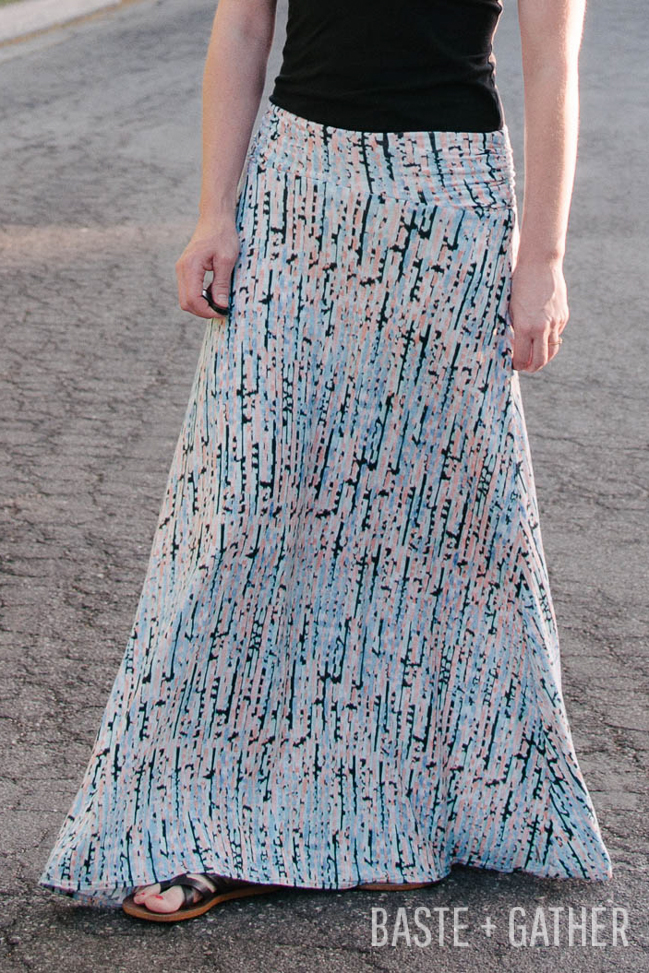
SYRAH Skirt by Selvage Designs

This is my oh-my-god-why-are-these-hikers-staring-at-me-while-I-take-photos-of-myself pose. It really never gets any easier.
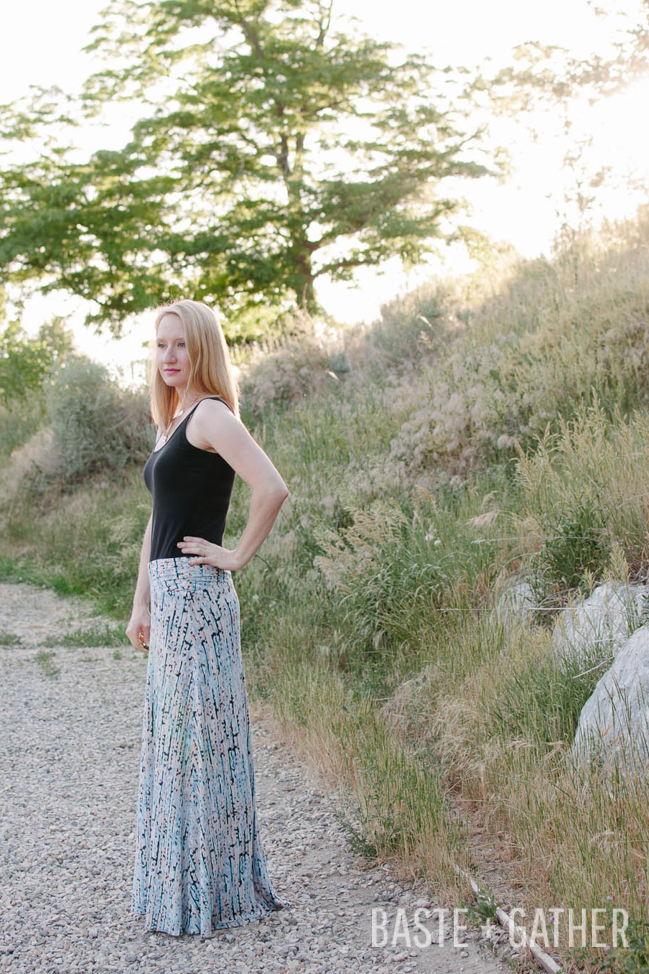
SYRAH Skirt by Selvage Designs

A little more about Pattern Parcel...

Parcel #6 includes:
Syrah Skirt by Lauren Dahl (exclusive release!)
Bronte Top by Jennifer Lauren
Julia Cardigan by Mouse House Creations
Hudson Pant by True Bias
Zsalya Dress by Kate and Rose

BONUS PATTERN: Odette Dress by Bluegingerdoll
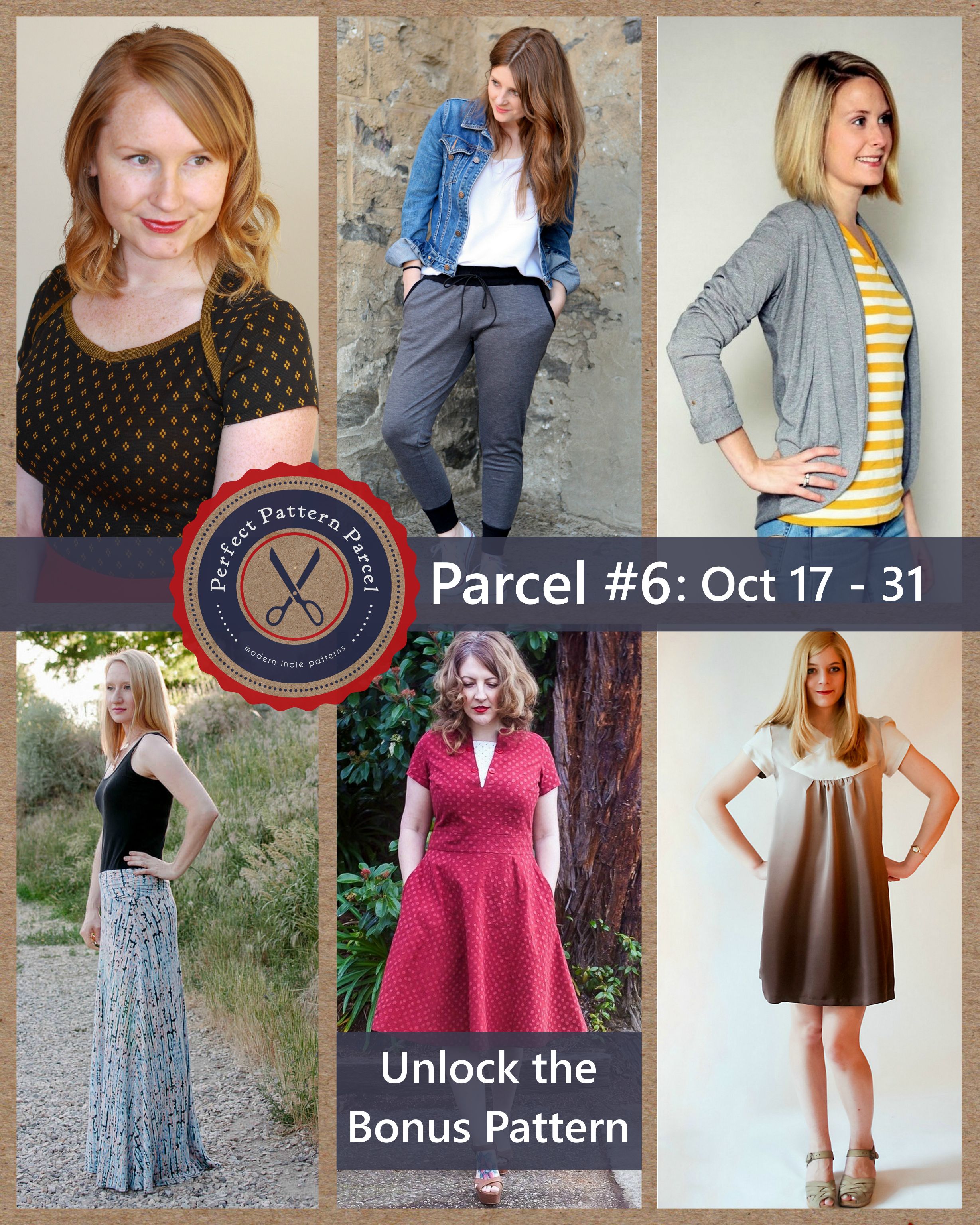
Pattern Parcel #6: Choose your own price and support DonorsChoose. Win/win!

Bonus Pattern:

Choose a price of $32 or greater for Parcel #6 and you will automatically also be sent the Bonus Pattern! That's only $5 a pattern. The Bonus Pattern for this Parcel is the Odette Dress by Bluegingerdoll. Vintage inspired silhouette is had two flattering necklines and a gorgeous skirt. The Odette Dress pattern goes from a size 4 through a 24!

How Pattern Parcel Works:

Here at Pattern Parcel, we believe in supporting independent pattern designers. It’s our opinion that indie patterns are just, well, better than big box patterns, and we’re pretty sure our customers think so too. So, we allow customers to show their support in naming their own price for each Parcel. We also encourage customers to allocate part of their Parcel price to the charity Donorschoose.org in order to help classrooms in need. Pattern Parcel donates all profits after expenses from Parcel sales to the charity as well. Together we've raised over $12,000 for classrooms in need!

What are you waiting for?! Go grab your Parcel now!
Pattern Parcel #6: Choose your own price and support DonorsChoose. Win/win

In Self-Hosted Wordpress Tips, Selvage Designs, My Handmades
how-to-create-an-auto-populating-tutorials-page.jpg

How to Create a Tutorials Page that Auto Populates

April 4, 2014

I've been working on a site migration (blogger-->self-hosted wordpress) for a friend, and one of the most important things to her was to be able to have an auto-populating tutorials page on her new site. You know, one that doesn't have to be hand coded EVERY. SINGLE. TIME. she adds a new tutorial. I know this is something a lot of DIY/sewing bloggers would just LOVE to have, so today I'm going to show you how to create a tutorials page that auto populates! Yeah! So for example, if you already have 343 tutorials on your blog, and you don't want to have to go back through every single one, cutting and pasting bunches of html into a tutorials page, you can use these instructions to make it all magically appear on a page of your choosing! And then, you can add that page to your navigation menu. Simple as that. And this works for any kind of aggregated list - not just tutorials. You could have a recipes page, a sewing pattern reviews page, whatever. It works just the same.

The steps

  1. Have a self-hosted wordpress blog. This kind of goes without saying. But these instructions will not work on Blogger, Wordpress.com, Typepad, etc.
  2. Install the List Category Posts plugin. To do this, go to Plugins --> Add new:Search for "list category posts." Click on "Install Now" when it pops up in the search results. Activate the plugin...

  3. Go through all your tutorials posts and make sure they're categorized as "tutorial" or something to that extent. If you've already used a certain category for the type of post you're targeting, that's fine.
  4. Create a new page (not post) called "Tutorials" or "Recipes" or what-have-you. This will be the page where the gallery of your tutorial/recipe/whatever post thumbnails appears.
  5. In the area where you normally type the page contents, put in the following shortcode, replacing "tutorial" if needed with the category name you've been using or you've created (such as recipes, reviews, etc.):

    (the only way I can figure out to share this with you without having the shortcode WORK on my page is to let you download this text file with the code in it! So click here to download it and copy the code!)

  6. Publish the page, and take a look at it. (But don't worry if it isn't the prettiest just yet!)
  7. Add the following css to your theme's custom css. (You'll need to play with the values for margins/padding/etc. to get everything looking perfect depending on your column width and overall layout.)lcp_paginator.css: /* catelist table form */ .lcp_catlist{ margin-left:auto; margin-right:auto; font-size:16px; line-height:35px; } .lcp_catlist li { width:28%; min-height:150px; display: -moz-inline-stack; display: inline-block; vertical-align: top; margin: 0px; padding:19px; zoom: 1; *display: inline; } .lcp_catlist li:after { content:'.'; height:0px; visibility:hidden; display:block; clear:both; }

    #lcp_instance_0 {padding-left:0px; margin-left:-19px;}
  8. Add a link to the newly created tutorials page to your navigation menu.
  9. Be sure to categorize all future posts that you want to go here with the category previously specified in the shortcode.
  10. You can further customize the output on the page (pull posts from multiple categories, change the number of posts that show up, etc.) by looking at the documentation on the List Category Pages plugin page.
  11. Admire your work!

If your thumbnails don't show up, it's probably because you haven't set a featured image for every post. You can use the Media Tools plugin to go back through your posts and make the first image in each one the featured image. :)

Pretty simple, eh? Leave me a comment below showing me your work! I would love to see what you do with this tutorial! :)

In Self-Hosted Wordpress Tips

WELCOME

My name is Lauren Dahl, and I take lots of awkward selfies around the Portland, Oregon metro area. Learn more about me here, or sew along using the social media links below.

Follow Along on Instagram

New #truebias #hudsonpants for Ezzie! #sewing #isew #sewcialists
Kids' handmade tees game is strong tonight...they're gonna have quite the collection come fall! #sewing #brindilleandtwig #isew #sewcialists
#libertyoflondon brushed cotton for a special little girl 😍😍😍 from @josephinesdrygoods in #pdx 
#sewing #isew #sewcialists #fabricporn
Had some fun with my new Bernina tonight! Finally!! #berninalove #sewing #isew #sewcialists #imakemyclothes #imademyclothes
Do these drawers scare the hell out of anyone else? This one is sitting on the ground in front of the chest at @joann_stores. They seem to fall out and break constantly.

Powered by Squarespace